
The CockPit
Your workspace in the terminal
An emerald-green terminal with your workflow one right-click away: tabs, split panes, ready-made layouts, fish, Python and your own AI tools. SSH starts only when you ask. Free for Linux, Windows and macOS.
pilot@cockpit ~/projects ❯ cockpit --version
The CockPit 1.1.0 · MIT · © 2026 Laden AS
pilot@cockpit ~/projects ❯ python3
>>> x = 40
>>> if x == 40: print("match!")
match!
- Type
- Terminal app
- Built with
- WezTerm, Lua, Bash, PowerShell, Python
- License
- MIT · open source
- Role
- Product development
Explore the solution
What’s new in 1.1.0
IPython where you work
Start IPython from the menu in the Python you pick: system Python or your project’s .venv or venv. On Linux and macOS you can also run cockpit --ipython. Nothing is installed into your project for you.
A journal you switch on (Linux)
Intel Journal keeps local Markdown notes with a folder, a case label, selected text and cockpit-journal run -- … for a single command. A separate tab logs printed output only while capture is on. Capture is off by default. Linux only for now.
The CockPit in the title bar
The window title now says The CockPit, on every platform, so you can find it at a glance.
What you can do
Your workflow, one right-click away
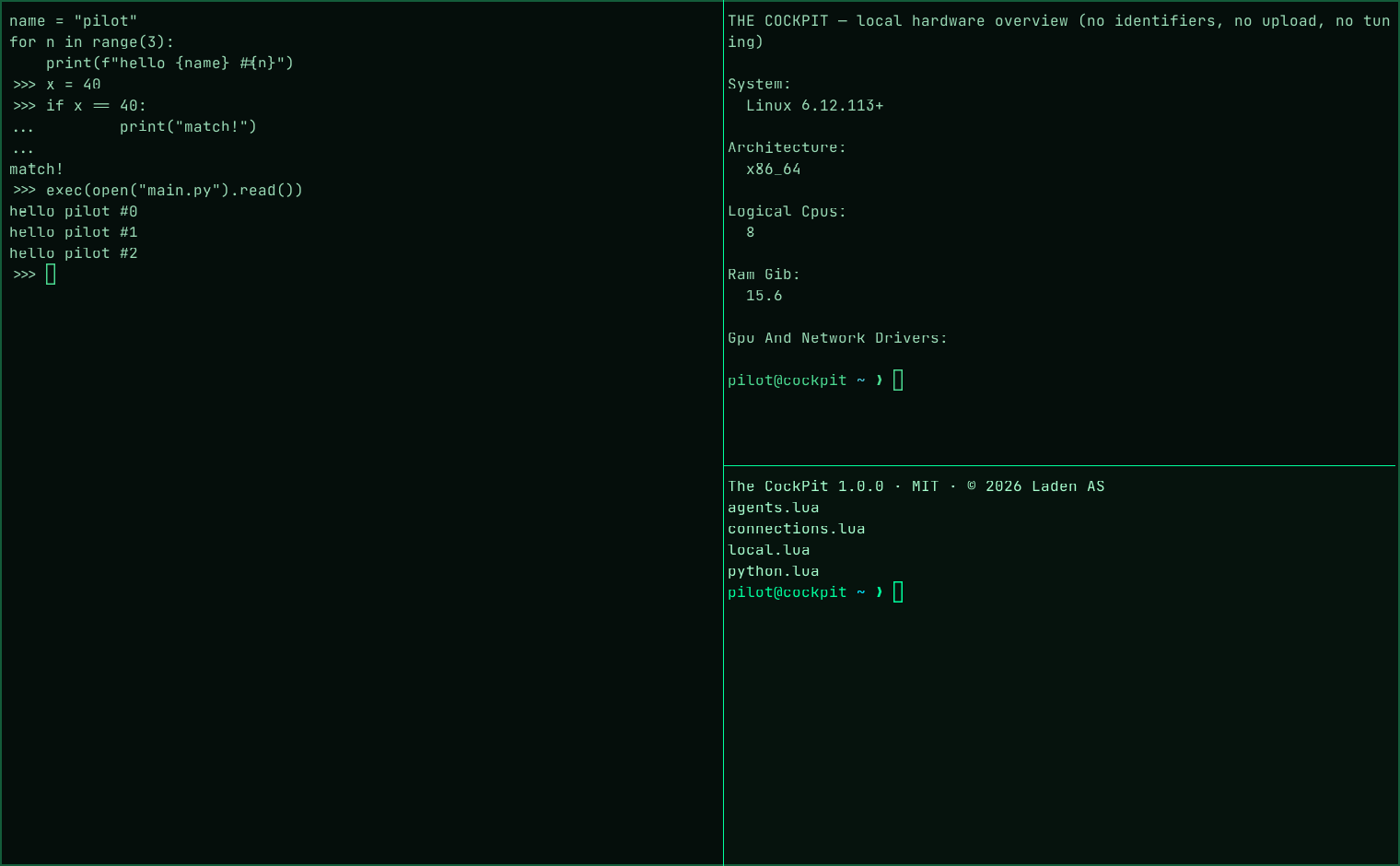
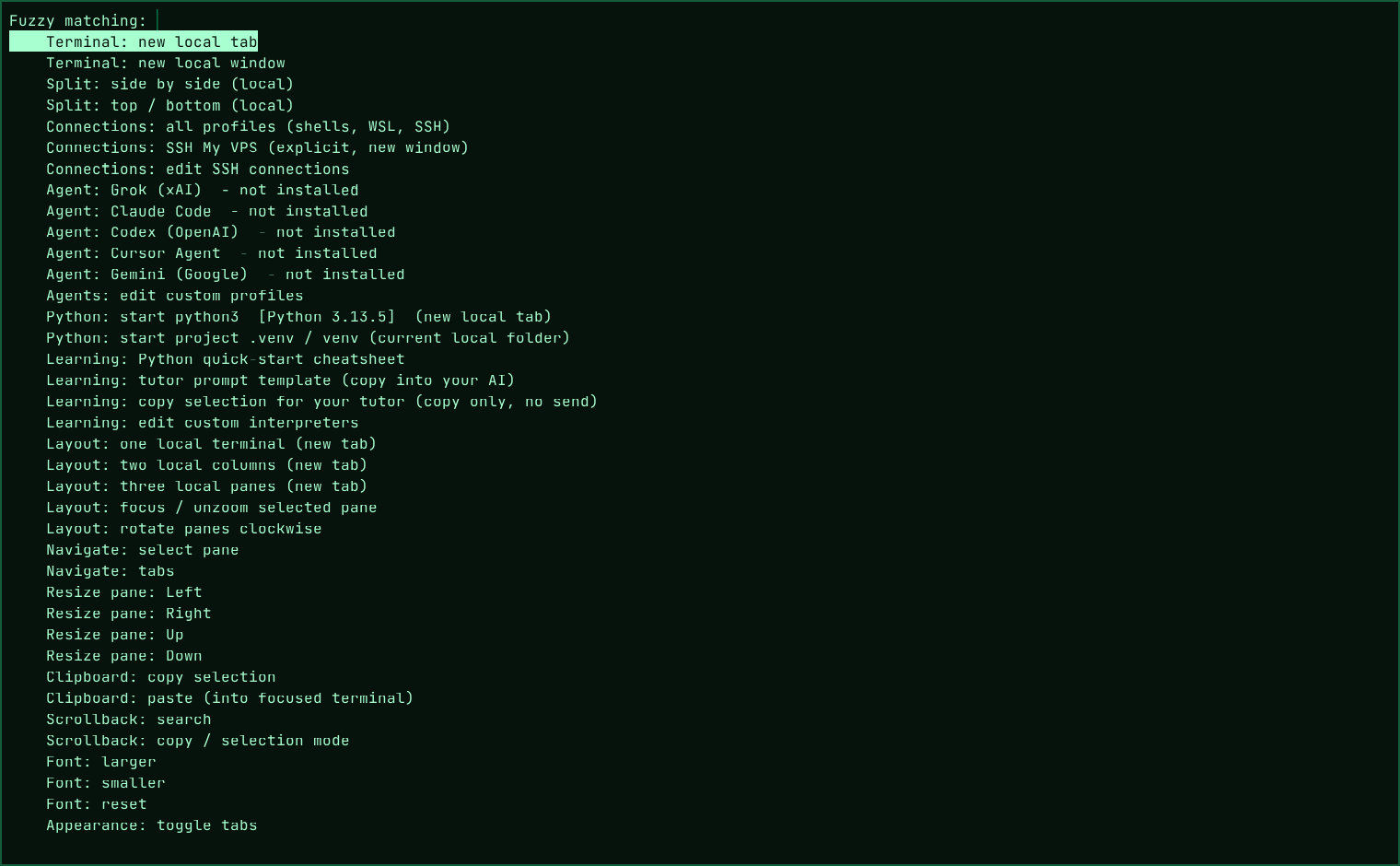
Right-click, F12 or Ctrl+Alt+Space opens the menu: tabs, splits, three ready-made layouts, navigation, clipboard, search, font, transparency and window.
fish by default
fish when it is installed. Otherwise your own shell on Linux and macOS, plus PowerShell, WSL and Command Prompt on Windows.
Learn Python
Find your Python interpreters, open an interactive Python console in one click and start your project’s .venv. A quick reference helps with the most common syntax errors.
Use the AI tools you know
Grok, Claude Code, Codex, Cursor Agent and Gemini show up once you have installed and logged in yourself. Nothing is sent on its own.
SSH only when you ask
Your servers live in connections.lua. Agent and X11 forwarding are always off, and new host keys must be confirmed.
Hardware without tracking
A local overview of CPU, RAM, GPU and network drivers. Never prints MAC, IP or serial numbers, and changes nothing.
Download v1.1.0
Linux · Windows · macOS
Free. The Linux (.tar.gz and AppImage), Windows and macOS packages bundle the official WezTerm release, so there is nothing else to install. The .deb is small and uses WezTerm from WezTerm's own APT repository. The files are not code-signed, and the Mac app is not notarized: Windows may ask once, and on a Mac you right-click the app and choose Open the first time.
- Linux
- Unpack and run
./install.sh— or make the AppImage executable and start it. No root. - Windows 10/11
- Unzip, right-click
install.ps1→ Run with PowerShell. Or double-clickStart-TheCockPit.cmdto run it portable. - macOS
- Unzip and drag The CockPit.app to Applications. Apple Silicon and Intel.
Check the files against the SHA-256 checksums below before installing. Need the previous version? Get 1.0.0.
SHA-256
72349d6983827d6a50acbdb5850b46aaa30213e9ecc8bb89f1e57c1d00943eb1  the-cockpit-1.1.0-linux-x86_64.tar.gz
2062382fa8bb2f06b2b79c05753a8ae7003ecb4b0a6e6d4a1c982e5f433d5709  TheCockPit-1.1.0-x86_64.AppImage
0eaa93fcc6943c15198fa3cc61768b228ed310277232a1a04d6ada0c6cad003c  the-cockpit_1.1.0_all.deb
7d5bba272742310d1274941d543efad185e3a5a9e2fec205bea86b2b9b51147e  TheCockPit-1.1.0-windows-x64.zip
8ec1e8651a29c4c3d03c47ba702c83c7d3a047a533031a5d88c9b5cfdeb5e361  TheCockPit-1.1.0-macOS-universal.zip
Open source
The CockPit is © 2026 Laden AS, released under the MIT License. Use it, change it, share it — commercially too. It is built on WezTerm by Wez Furlong (MIT), which ships unmodified; the licenses are in the package.
A big thank-you to Wez Furlong and everyone who contributes to WezTerm. The CockPit stands on their work: a fast, solid terminal that is open for anyone to build on. Without it, The CockPit would not exist.
The outcome
The CockPit 1.1.0 is out for Linux, Windows and macOS, free and open source. The source and every 1.1.0 package are also on GitHub. The name, icon and Laden brand belong to Laden AS.
Previous version: 1.0.0
Need to stay on 1.0.0? The files are still here, with their checksums in SHA256SUMS.
Need a tool like this?
Tell us what you want to achieve, and we’ll suggest a concrete next step.
Tell us your idea